 Back to all articles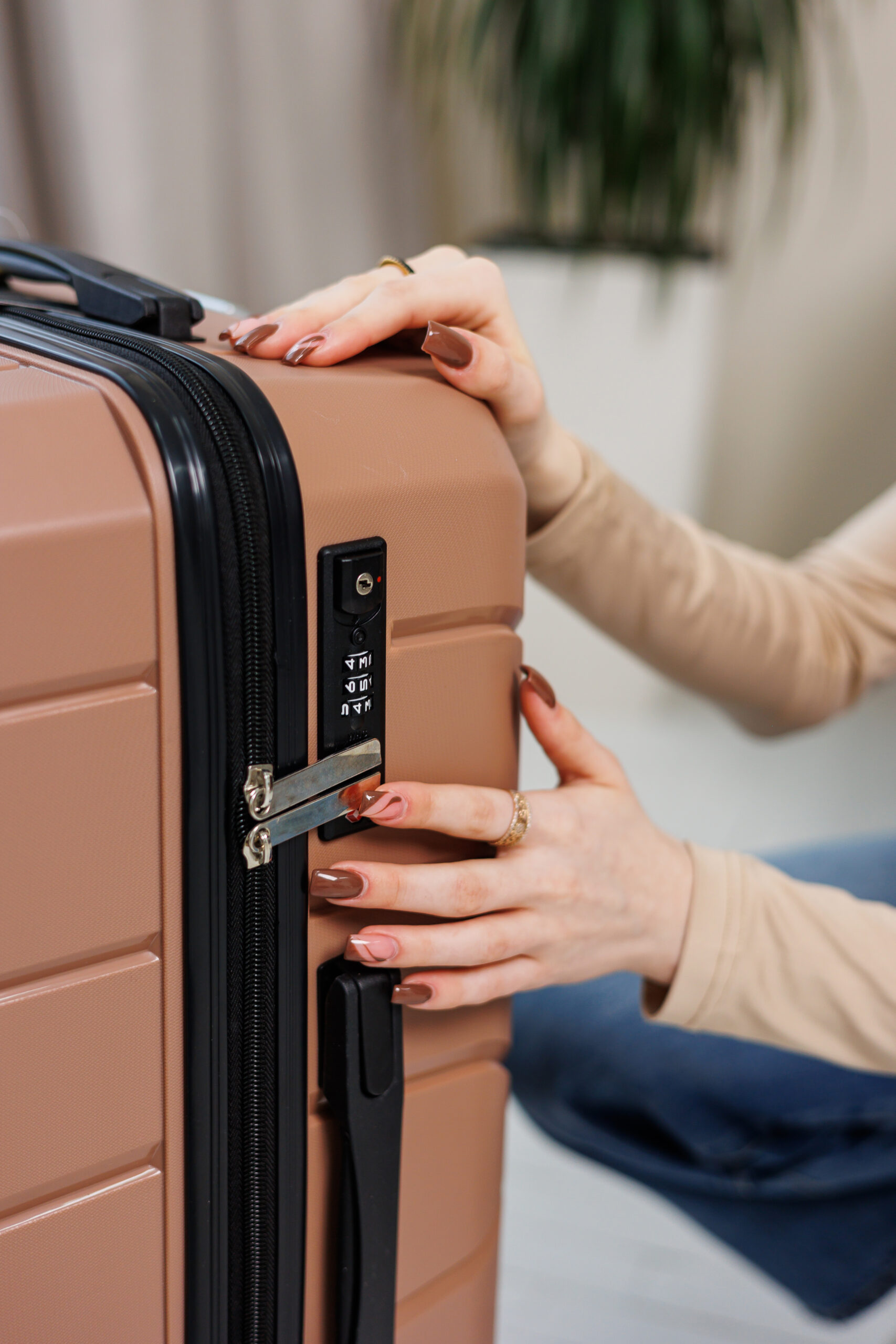



How to Reset a TSA Lock
This is one of the most common questions travelers ask: How do I reset my TSA lock?
Step-by-Step TSA Lock Reset Instructions
1. Set the lock to the current code
Make sure the lock is open and aligned with your existing combination.
2. Find the reset button
Most locks have a:
- Small reset button,
- Pinhole (use a pen), or
- Sliding reset switch
This is the key part of the luggage lock reset process.
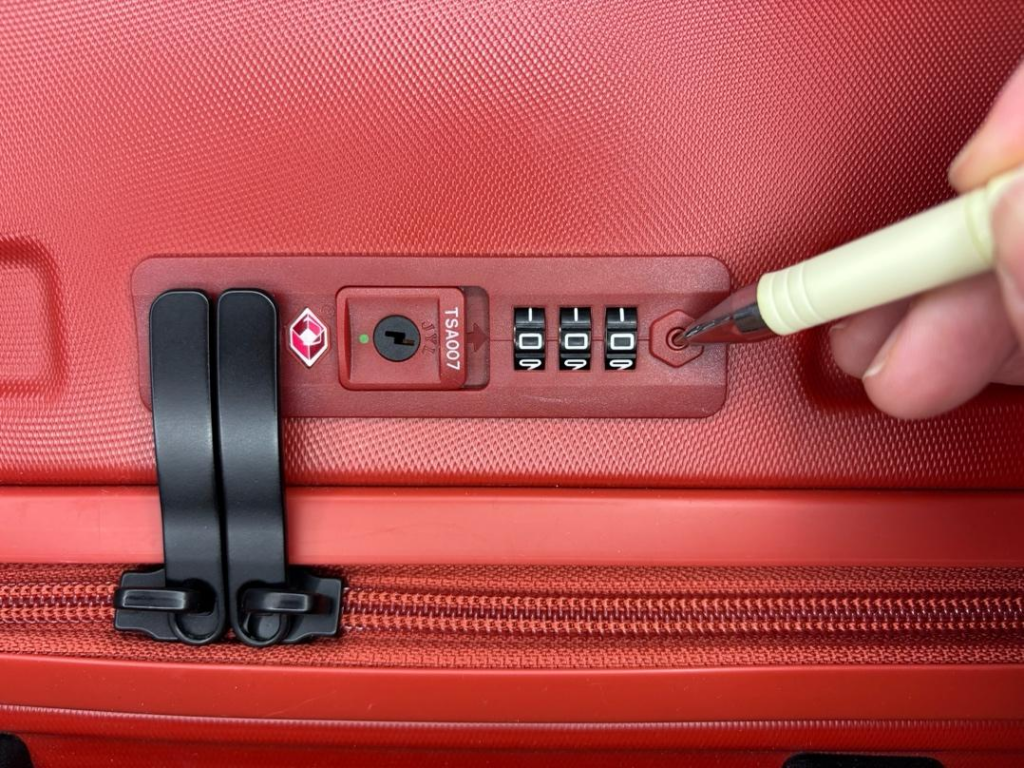
3. Press and hold the reset button
Press and hold the reset button with a tool, such as a ballpoint pen. You may hear a ‘click’ sound. You might find the reset button on the side of your lock.
4. Choose a new code
Turn the dials to your preferred numbers.
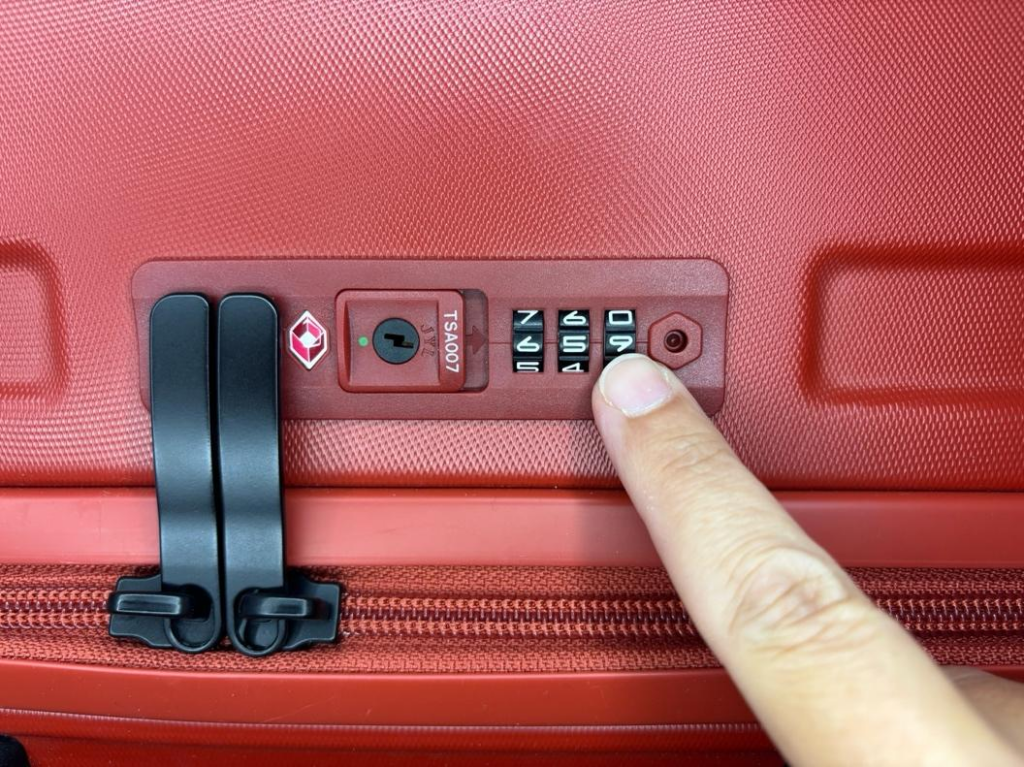
5. Slide the lever across – your combination is now set.
This saves your new code. The zippers will pop out as this code will open the lock.
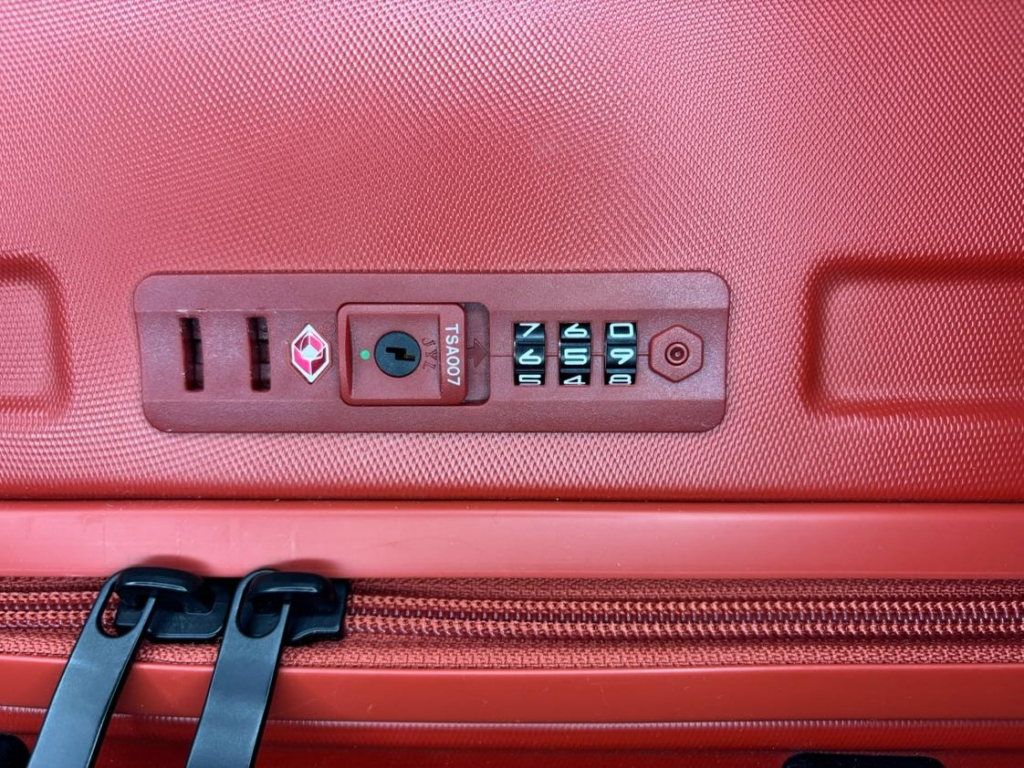
6. Test your lock
Once packed and ready to go, put the zipper pulls back into their slots. Scramble the code to lock the luggage.
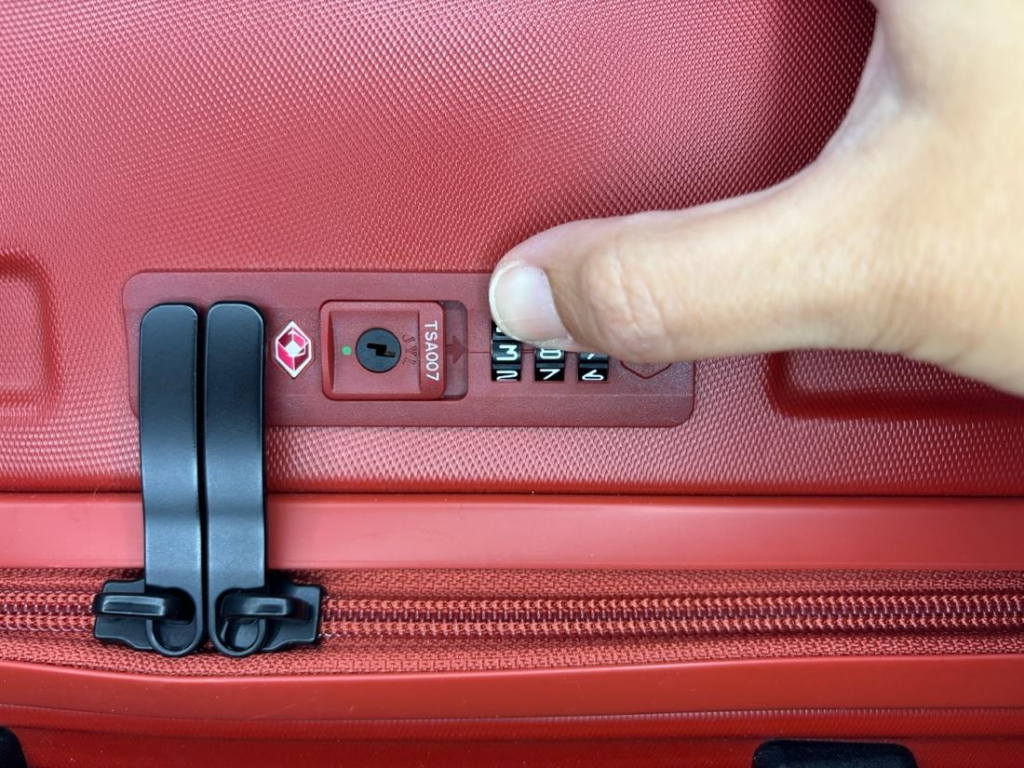
See full instructions here: Setting code for TSA-accepted luggage.
Find Your TSA Lock Combination
If you’ve forgotten your TSA lock combination, don’t panic—there are still ways to recover it.
Try every combination
Most TSA locks have 3 digits (000–999), so it’s possible.
Contact the manufacturer
Some brands provide TSA combination lock instructions specific to their models.
Get professional help
If you’re stuck, a luggage retailer or locksmith may help unlock your suitcase if you forgot the combination.
How to Change Your TSA Lock Code Safely
When choosing a new code, keep these tips in mind:
- Avoid obvious combinations like 000 or 123
- Choose something memorable but secure
- Store it safely (notes app or password manager)
- Test it before every trip
Following these steps ensures your TSA lock reset is successful and avoids future issues.
What If Your TSA Lock Is Stuck?
If your TSA lock is stuck and you forgot the code, don’t force it. This can damage the lock or your luggage.
Instead:
- Work through combinations methodically
- Use gentle dial movements
- Seek help if needed
Patience is key when trying to open a TSA lock without the combination.
Important Reminder: TSA Locks Don’t Have Backup Keys
If you’re trying to reset your lock, you might notice a keyhole. But remember that keyhole is for airport security, not for personal use.
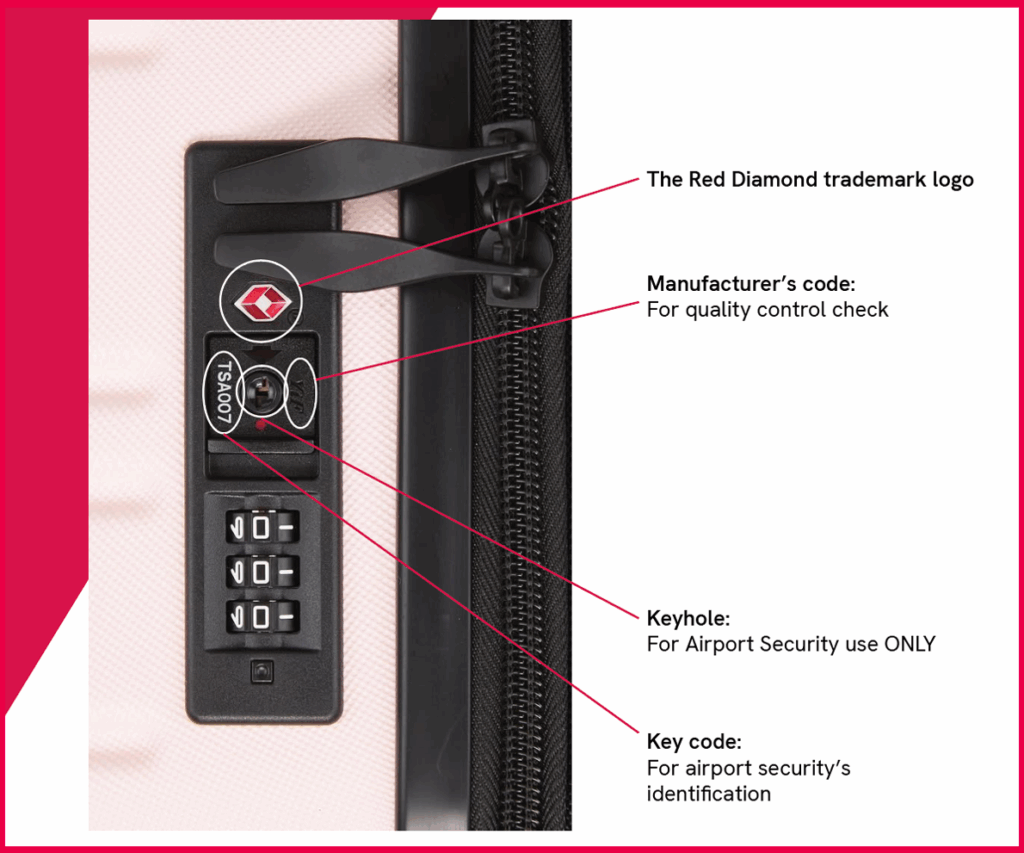
Find the combination first → then press reset → set your new code.
Related Articles

March 2026
Jet Lag Tips: How to Reduce Jet Lag and Recover Faster After Flying
Beat jet lag with practical tips to help you adjust faster after flying. Discover how to reset your...
Read More
March 2026
What Do TSA Scanners See? How Airport Security Scanners Work
Find out what TSA scanners really see and how airport security technology works. Learn how your...
Read More
February 2026
The Space Under Your Seat: Why Under-Seat Luggage Is Changing
Under-seat luggage gets a security upgrade with Travel Sentry locks.
Read More